
gw88 App — Launch Games Right from Your Home Screen
Download the gw88 App — no need to open a browser every time. Just tap the icon on your home screen and you're straight into the lobby. Aviator, slots, fishing — all your games in one place.
What to Know Before Downloading
The gw88 App is not on Google Play — you need to download the APK directly from our site. Before downloading, check the file details below and choose the right path for your device: Android or iPhone.
gw88.apk — 28 MB · Free
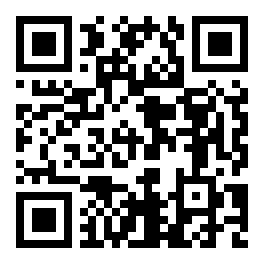
Scan the QR code with your phone camera and the download starts right away — no need to type any link. On Wi-Fi, it finishes in under a minute.
How do iPhone or iPad users get started?
There is no separate APK for iOS. Add a shortcut to your Home Screen from Safari and the game lobby opens in fullscreen just like a native app — no address bar, fast loading. This does not work from Chrome or Firefox; Safari only.
Push notifications are limited on iOS Safari — enable in-app notifications from inside the app to stay updated on bonuses.
How to install the gw88 APK on Android?
Since gw88 is not on Google Play, you need to change one setting before installing. Follow these five steps once and future updates will install directly.
Allow installation from unknown sources
Android blocks files from outside the Play Store by default. You need to enable this before downloading.
Android 8.0 or newer (Oreo+): Go to Settings → Apps → your browser or file manager → turn on "Allow from this source".
Android 7.x or older: Go to Settings → Security → turn on the "Unknown sources" toggle.
Download the gw88.apk file
Tap the Download button above or scan the QR code. Any browser including Chrome will work. The file is 28 MB, so on Wi-Fi or a good mobile connection it takes under a minute.
Once the download is done, gw88.apk will appear in your browser's notification bar.
Install from the Downloads folder
Open your File Manager → go to the "Downloads" folder → tap gw88.apk. Tap "Install" on the popup. The Android installation wizard will run and finish within 30 seconds.
The app will request these permissions: Storage (for download cache), Network (to load games), and Notifications (for bonus updates — optional).
An icon will be added to your Home Screen — open it
Once installation is complete, tap "Open", or tap the gw88 icon on your Home Screen. The first launch may take 5–8 seconds as the app loads the game catalogue.
After the app opens, select Bengali (Bangladesh) as your language — all menus and notifications will then appear in Bangla.
Log in or create a new account
If you already have a gw88 account, log in with your mobile number and password. For step-by-step login instructions and troubleshooting, visit the gw88 Login page.
New here? Head to the registration page and create your account — just your mobile number and it's done in minutes.
What exactly do you get by using the app?
You can do everything through a browser too, but the app has extra features built specifically for mobile. Here are six of them — with a clear breakdown of what's different in each.
Fast login with biometrics
Log in with your fingerprint or Face ID — no need to remember your password. Unlock your phone and you're straight into the lobby in under 2 seconds. For password setup tips and security details, check the Login page.
bKash, Nagad, Rocket — all directly from the app
Select your mobile wallet right inside the app — no need to open a separate browser tab. Minimum deposit is ৳250 and your balance usually updates within 3 minutes. Upay and bank transfer are also supported. For full deposit rules, see the Deposit Guide.
All categories in one lobby
Slots, crash, fishing, card games, live casino — switch between all categories from a single app. Games from seven providers including Spribe, JILI, PG Soft, and Playtech. To browse the full game list and check RTP, go to the Casino page.
Push notifications — never miss a bonus
Weekly reload bonuses, daily cashback (1.1%), and tournament results come straight to your app notifications. Even if the site isn't open in your browser, you're unlikely to miss an offer. You can customise notification settings from the profile menu in the app.
Offline lobby browsing
No internet? You can still browse the game list, check RTP, minimum bets, and provider info from the cached lobby. As soon as your connection is back, jump straight into a game. This isn't available on the browser.
Battery and data saving mode
Turn on low-data mode in the app to reduce video animations during game loading — your battery lasts longer when playing slots or fishing games on mobile data. Handy for long gaming sessions. Enable it from Settings → Performance.
APK won't install — causes and fixes
Most install issues come down to a single setting or an incomplete download. Below are the five most common problems, their causes, and step-by-step solutions.
| Problem | Likely cause | Fix |
|---|---|---|
| "Install blocked" | Unknown sources permission is turned off | Go to Settings → Apps → your browser → turn on "Allow installs from this source". On Android 7 or older, go to Settings → Security → turn on the "Unknown sources" switch. |
| "Package could not be parsed" / Parse Error | Download incomplete or file corrupted; or Android version below 6.0 | Delete the old gw88.apk and re-download it using the download button on this page. Check your Android version at Settings → About Phone — if it's below 6.0, use a browser instead. |
| Installation blocked due to low storage | Less than 28 MB of free space available on your phone | Go to Settings → Storage and delete unused apps or old videos. To clear cache, open Chrome → Settings → "Clear Browsing Data". Then try installing again. |
| App won't open after installation | Incomplete installation or system cache issue | Restart your phone, then tap the gw88 icon from your home screen or app drawer. If the problem continues, uninstall the app and install it again. |
| White screen or app not loading after opening | Weak internet connection or DNS issue | Turn Wi-Fi or mobile data off and back on. Try opening gw88.ws in a browser — if the site loads, clear the app cache: Settings → Apps → gw88 → Storage → "Clear Cache". |
Issue not resolved with the steps above?
Contact our 24/7 live chat support for any installation issues — mention your phone model and Android version for a faster fix. Login problems are a separate matter; head to the gw88 login page for that.
Quick answers on downloading and installing the gw88 App
Below are answers to the most common questions asked before and after downloading the App.
Download the app and get started now
28 MB download, install, log in — your games are live from the home screen in three minutes.
18+ · Responsible Gaming